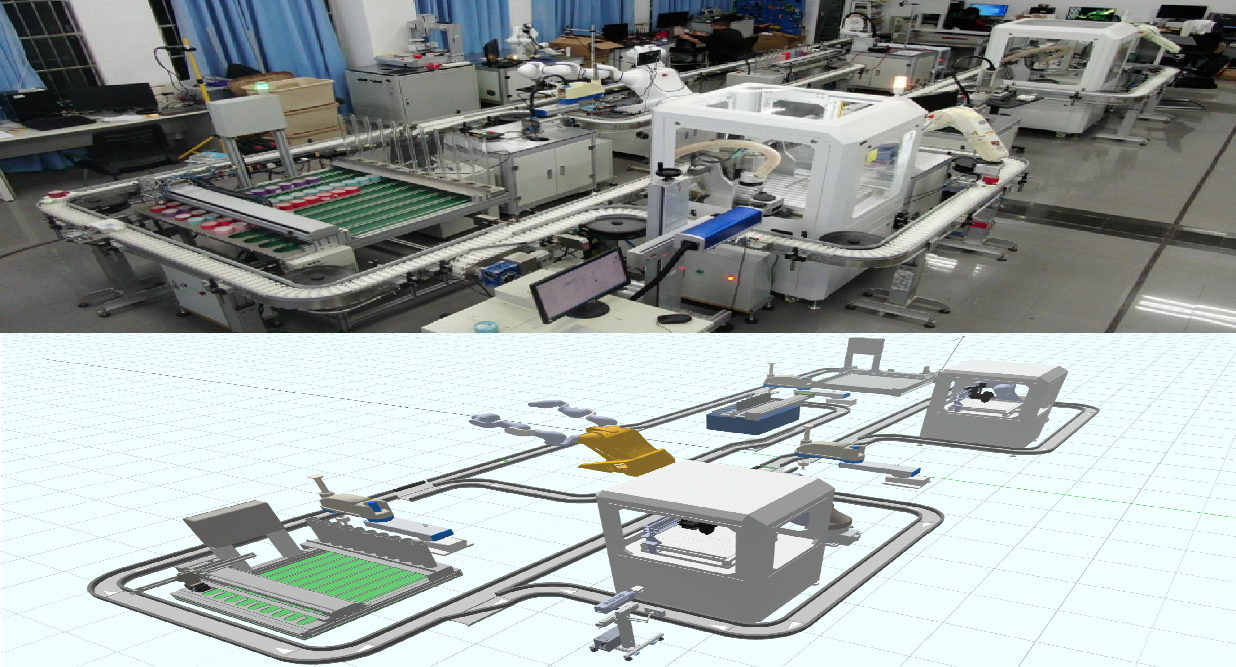
Intelligent Manufacturing Laboratory of South China University of Technology
No. 381 Wushan Road, Tianhe District, Guangzhou City
Working Mode
Simulation Mode
Simulate the production process under the equipment offline condition; all components are operated locally on the PC; the simulation tasks are performed by the twin virtual component models and presented in a visual form on the front end.
Monitoring and Control Mode
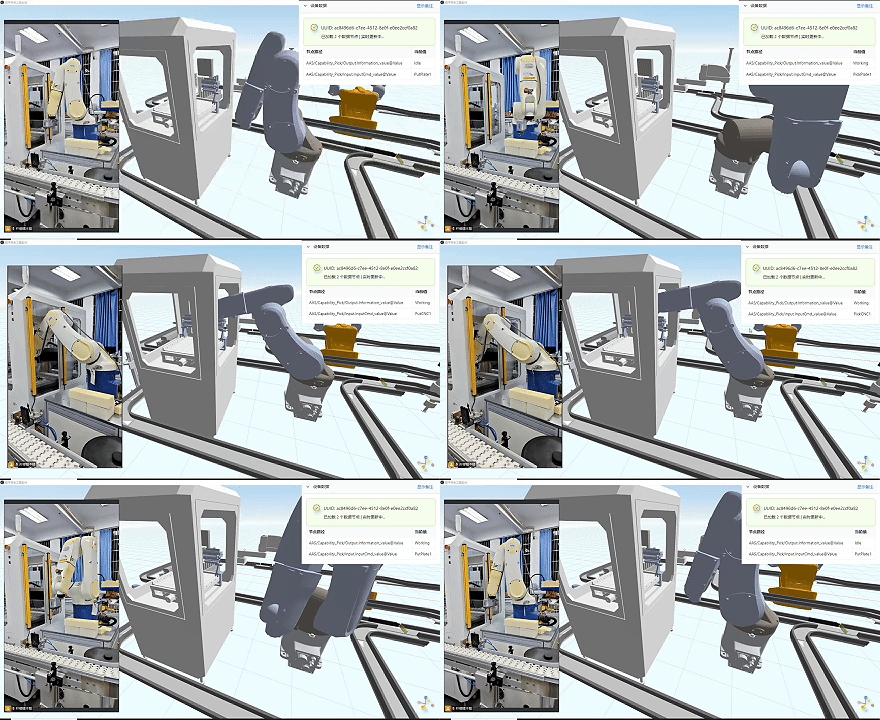
Monitor and implement intelligent management and control of the production process during the operation of physical equipment; directly acquire information from physical components to achieve visual presentation; permit front-end intervention in physical components.
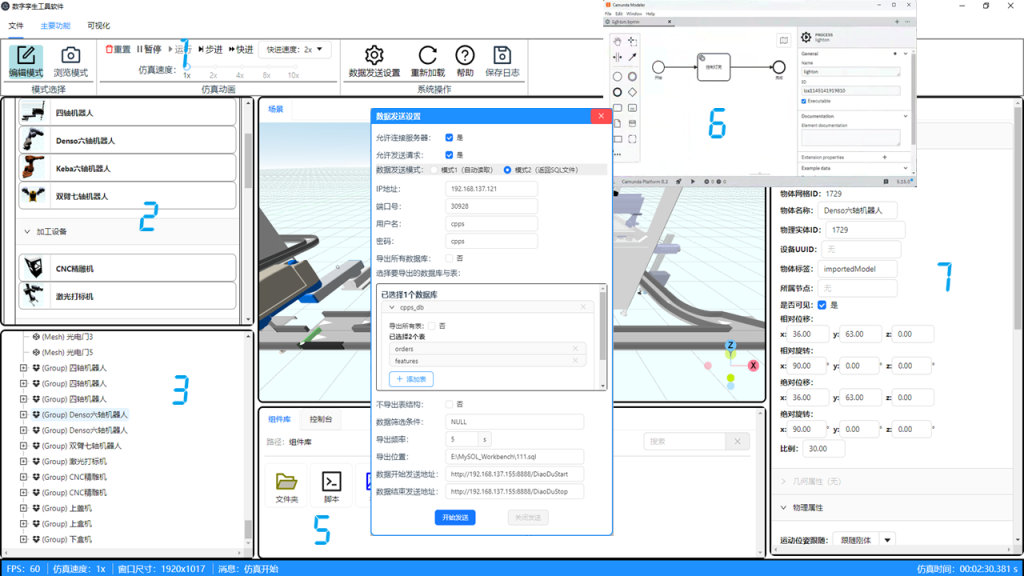
Operation Page
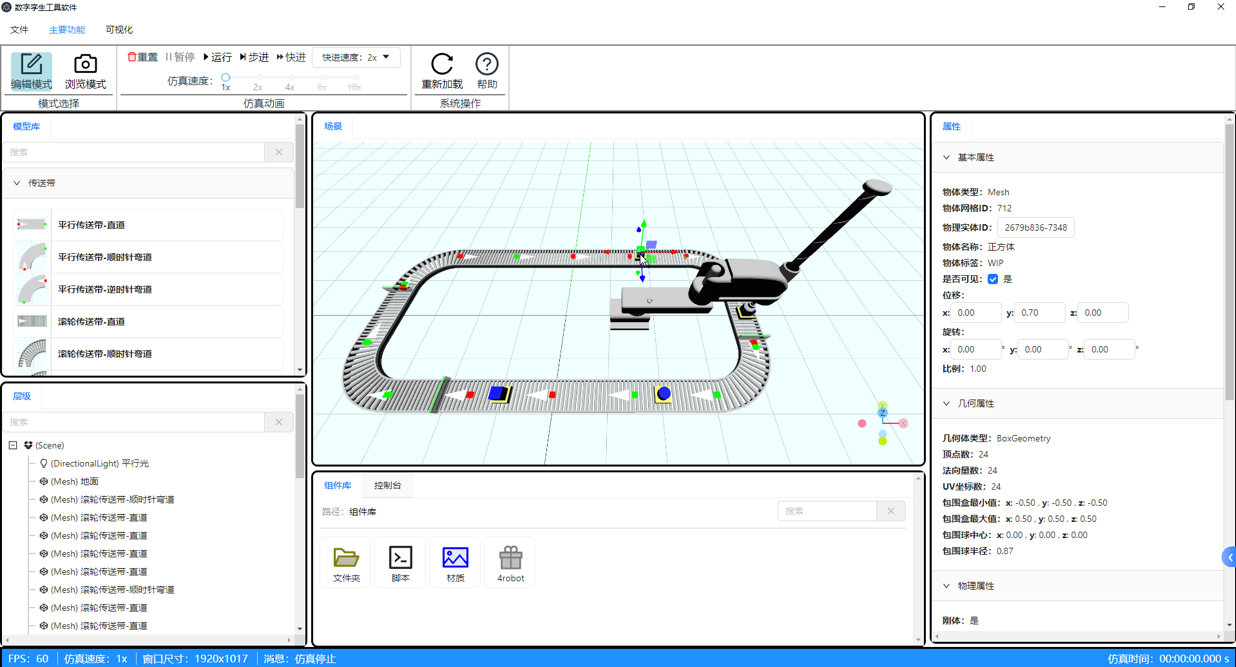
1.Toolbar: Switch working modes, adjust simulation speed, load existing scenarios, and resize interface windows.
2.Model Library: Search for preset models and drag models to complete deployment.
3.Hierarchy Panel: Display and edit the hierarchical relationships between components.
4.Visualizetion Window: Real-time display of the working status of physical components; adjust viewing angles and component deployment status.
5.Control Panel: Import custom models, materials, and scripts; output interaction inofrmation and call associated applications.
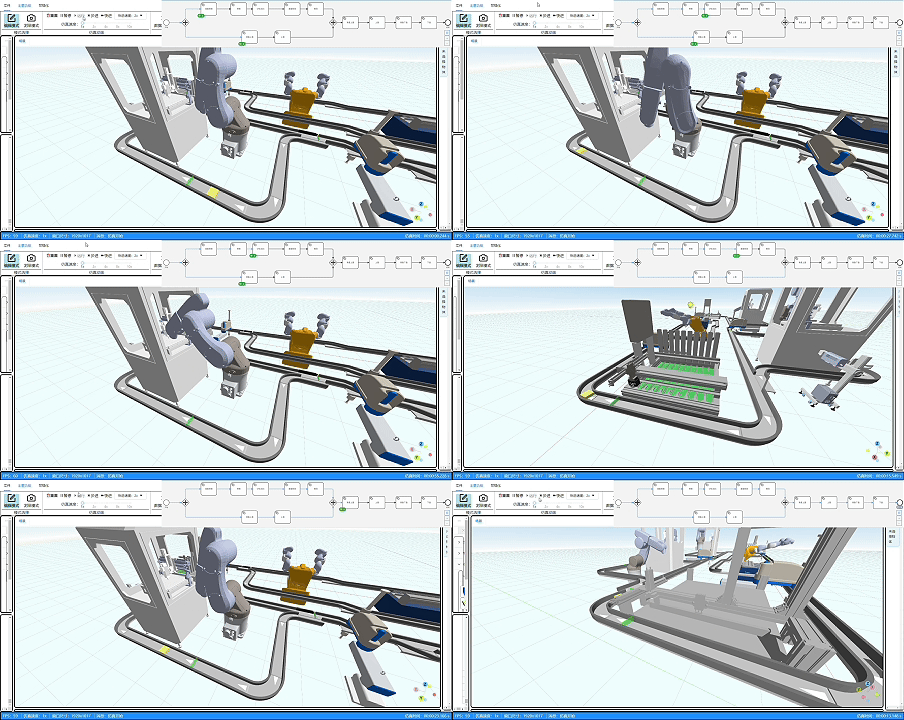
6.Control Logic Management Page: Implement simulation logic deployment using workflows, support visual editint of simulation logic, and simplify deployment.
7.Property Panel: Allow custom attributes and modify property parameters to control physical components.
Model Customization
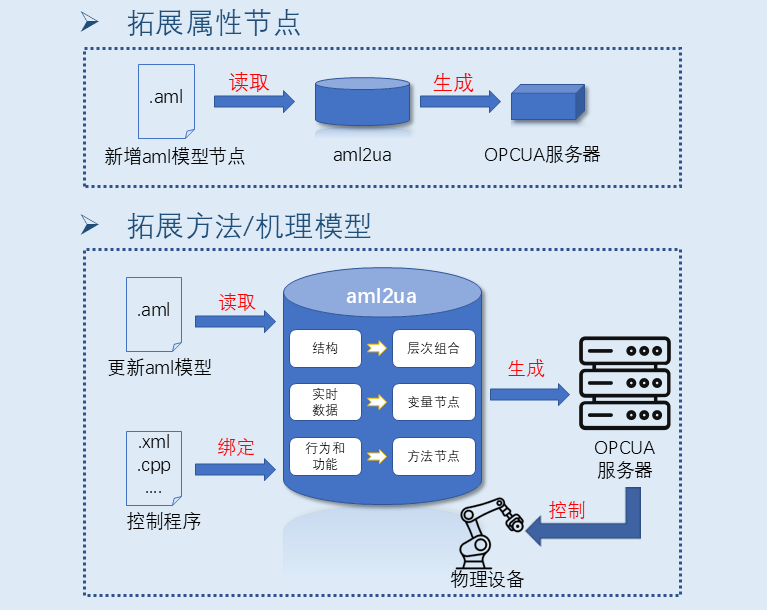
Import Custom Models: Import the component’s AML model and its corresponding OBJ 3D model into the MinIO model repository. During use, the front end calls the AML2UA model auto-generation tool, which automatically generates an OPC UA server based on the AML model.
Add Attribute Nodes to Existing Models: Modify the AML file of the existing model to add required nodes. The AML2UA model auto-generation tool parses the file automatically and generates corresponding OPC UA variable nodes or object nodes.
Add Methods to Existing Models / Import Mechanistic Models: Add nodes corresponding to the required methods in the AML model and link external algorithm files, then import the corresponding algorithm files into the MinIO model repository. The AML2UA model auto-generation tool parses the file automatically and generates corresponding OPC UA method nodes. During use, external methods or mechanistic models are called automatically to complete external control or model calculations.
Control Logic
Simulation Logic Deployment
Utilize workflow models as simulation logic; components are directly invoked by the workflow engine according to the workflow, facilitating production line adjustments; front-end visual modeling and deployment simplify deployment operations.
Process Deployment
It allows customizing process models and importing existing models; it enables direct data transmission between services using Headers tags, which can be directly reused after export; it supports modeling first, and then importing JSON data for instantiation according to requirements.
Guangdong Qichuang Intelligent Technology Co., Ltd. @ 2025 All Rights Reserved | ICP Filing No.: Xiang2025112877-1